MESH BUYING GUIDE
Is TP-Link Deco X50 right for your home?
Commercial buying guide. We earn commission from qualifying purchases through the links marked “Paid link”.
Desk research · Published 2026-10-17 · Updated 2026-10-17 · No hands-on product testing

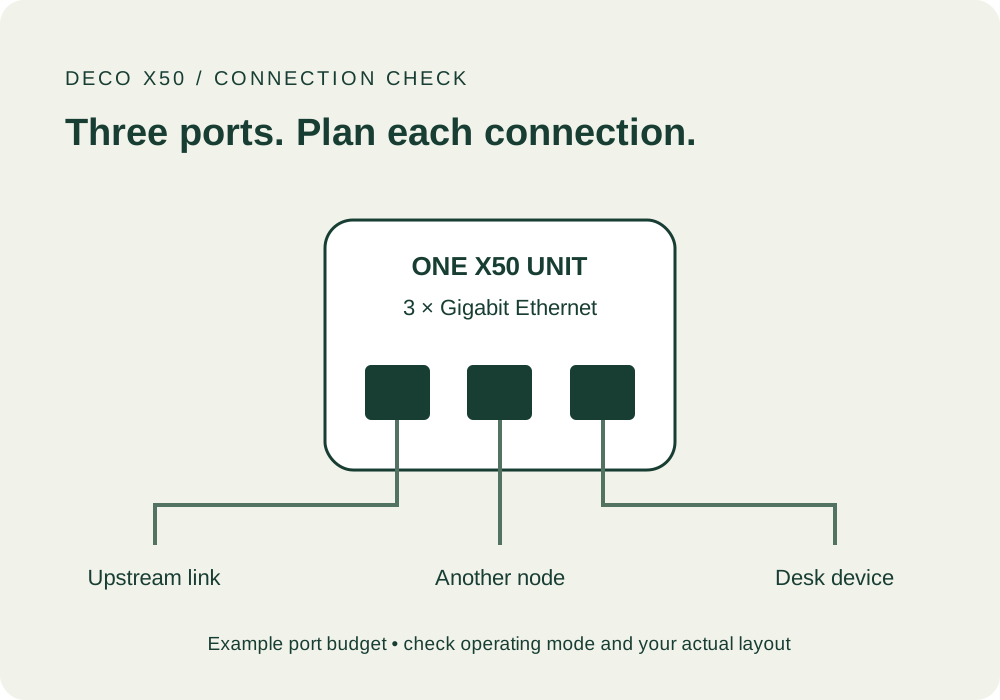
Shortlist Deco X50 when you need indoor mesh coverage and its wired connections fit your layout. Its three Gigabit ports per unit are worth comparing if you want to connect a desk, a TV or another node by cable.
When we would shortlist it
- The incoming broadband is working, but indoor coverage needs improvement.
- You have suitable positions for nodes, particularly where Ethernet is already available.
- You want to investigate access-point mode while retaining the provider router.
When it is the wrong first purchase
A mesh kit will not resolve a broadband outage or a fault affecting the service before it reaches your home. If a single device struggles while others work in the same place, investigate that device first.
Do not treat an indoor X50 as an outdoor bridge or assume a three-pack will reach a detached office. For that problem, use the garden-office connection finder before making a shopping list.
Ports are useful only if the route works
The referenced UK X50 documentation lists three Gigabit ports, Ethernet backhaul and access-point mode. Count the port used for the upstream connection as well as the devices and node links you want to attach. A physical cable route is more useful than an extra port you cannot reach.
If Ethernet is impractical, plan an intermediate node location with a good wireless connection. Putting a node in the weakest room may leave it struggling to communicate with the rest of the mesh.
Get the exact X50
Do not interchange specifications for X50, X50-PoE, X50-Outdoor or the mobile-broadband variants. These names refer to different products. Check the full model, hardware revision, pack contents, UK plugs and seller.
A two-pack may be enough if you have two useful locations. A third node should have a clear job and a viable connection; floor area alone cannot settle this. Do not buy extra units merely because a coverage headline looks reassuring.
Keeping the provider hub
Access-point mode is worth investigating when the provider hub needs to remain in charge of routing or bundled services. Features can differ by mode and firmware, so check the current feature table for controls you rely on. We do not recommend changing the network configuration by trial and error.
Use our provider-router checklist, especially if your phone service uses broadband.
Hardware revision and security support
The UK V3 download page lists EU V3 firmware 1.7.5 dated 28 September 2026. That demonstrates a recent release for that revision; it does not establish a security-support end date for every X50 offered by every seller.
Before ordering, establish the revision and applicable support period. A warranty term is not the same thing. If the seller cannot clarify an important specification, choose a listing that can rather than assuming the box matches a different revision's page.
Your purchase checklist
- Record the full model, revision and unit count.
- Draw the node positions and any Ethernet links.
- Confirm provider services and the intended operating mode.
- Include cables and optional paid features in the total cost.
- Check seller, returns and security support, then retest the original problem after installation.
Compare Deco X50 with eero 6+ → · Paid-link guide
Sources and limits
Original explanation and editorial judgement. Manufacturer features vary by model and revision. No prices or range guarantees are verified.